Just a quick heads-up that i updated my MXSEditor plugin for 3ds Max 2025, 2026 and 2027. This plugin gives you extensive control over 3ds Max’s built-in Maxscript Editor. Like running Maxscript Editor in an extended viewport, controlling the Maxscript Editor internals via maxscript itself and much more. For detailed documentation about the features, simply head over to the original release post

MXSEditor | 3ds Max Plugin
MXSEditor – Maxscript Editor Exposure Plugin
3ds Max 2017 – 3ds Max 2027
RECENT CHANGES:
- added 3ds Max 2025, 2026 and 2027 versions
- removed 3ds Max 2016 and earlier versions
- fixed possible exception on 3ds Max shutdown
FEATURES:
- Maxscript Editor as Extended Viewport
- Extensive control over the Maxscript Editor via maxscript
- Access to the Scintilla/SciTE internal command set
- Callback mechanism for maxscript editor events
- Includes builds for 3ds Max 2017 up to 3ds Max 2027
And finally, to ensure future improvements and support my efforts, please consider a donation!
Donations: buymeacoffee.com
Version: 1.2_DC20260331
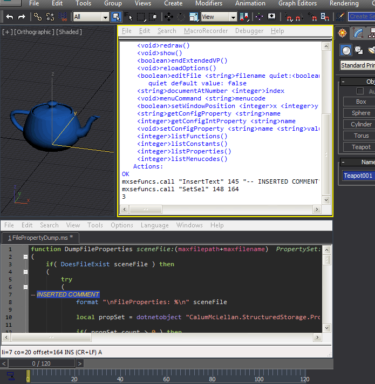
MXSEditor – Maxscript Editor exposure plugin
Hi Man, this is great plugin 😀
I think now will be possible to achieve those upgrades in maxscript
-highlight all words which is match in current selection like in Notepad++
-auto formatting code
-display hints during writing functions
-etc…
many thanks Josef have a good day! 🙂